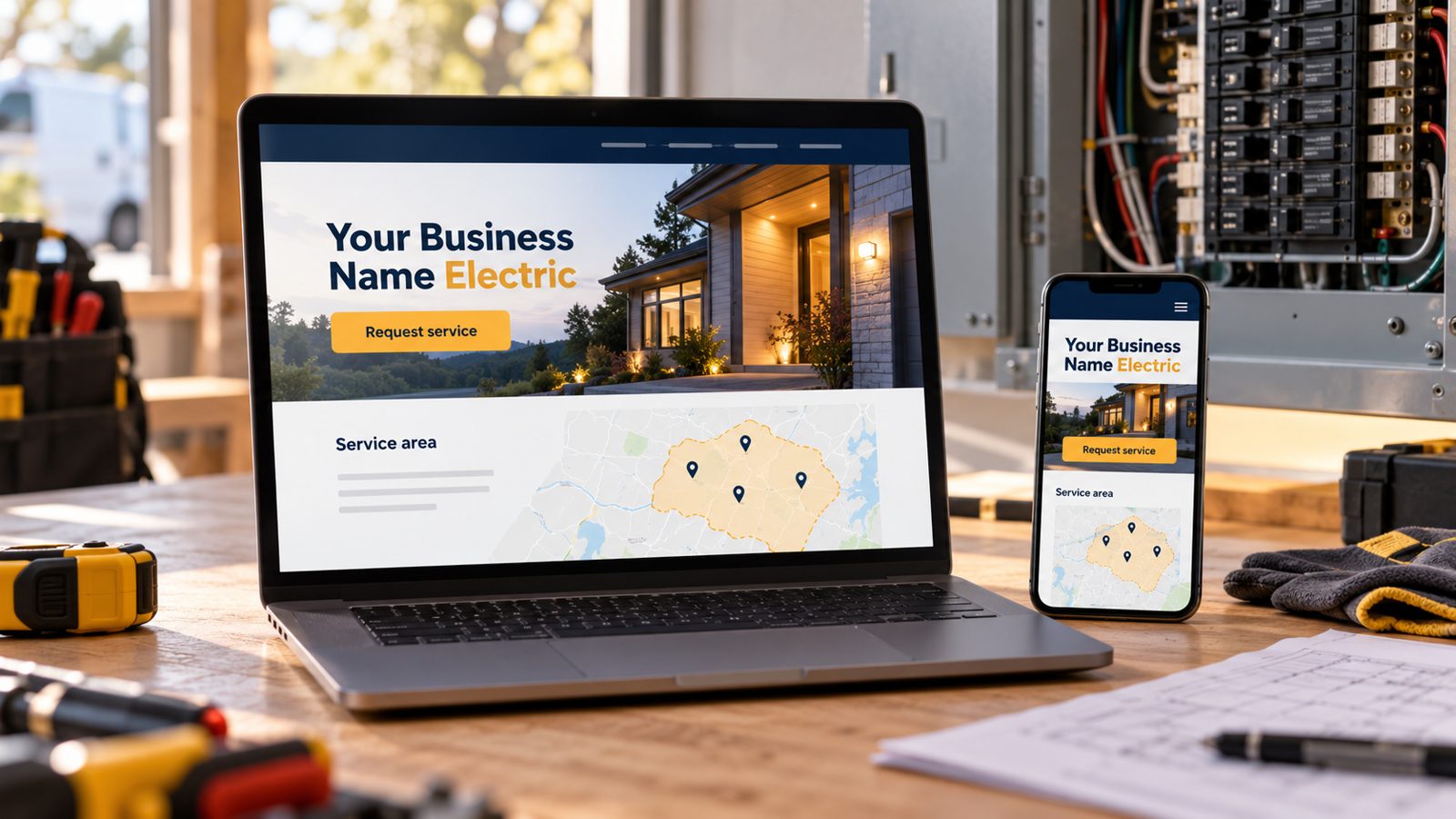
Electrician Website Design: What to Put Where (2026)
Electrician website design, section by section: the header, homepage, service pages, service area, urgent-call path and reviews, plus what to skip.
cathejeci
about 2 hours ago
75 min read
Good electrician website design answers four questions within seconds: what you do, where you work, whether you're licensed, and how to reach you when something's wrong. Lead with one clear line, put your license number and phone in the header, split urgent calls from planned requests, give each main job its own section, and show only real photos and reviews.
If you'd rather start from a draft than a blank page, our electrician website builder sets up those sections for you. This guide explains what goes where, and why.
Key takeaways
Design for a phone first: most homeowners will see your site on a small screen, often in a hurry.
Put your license number, phone and service area where people look first: the header and the first screen.
Separate the two kinds of customers: "it's not working now" and "I'm planning a project."
Give panel upgrades, EV chargers and lighting their own sections, with answers to the questions people ask before they call.
Use your own photos and real reviews. Skip stock "smiling electrician" images and template testimonials.
What should the top of an electrician homepage show?
The first screen does most of the work. Pew Research Center reports that 91% of U.S. adults own a smartphone, and 16% are "smartphone-only" internet users with no home broadband (Pew Research Center, survey Jan. 30–June 18, 2026, checked Oct 21, 2026). Plan your design around a thumb, not a desktop mouse.
1. Say what you do and where, in one line
"Residential electrician for panel upgrades, EV chargers and repairs in [your main towns]" beats "Powering your future." Customers scan for their problem and their town. If both appear in the first line, they keep reading.
2. Put your phone and license number in the header
A tap-to-call phone number and your license number in the header follow the visitor to every page. In California, the Contractors State License Board counts websites as advertising and requires your license number in all advertising. Our guide on where to put your license number covers placement and wording.
3. Give urgent and planned work separate paths
Someone with a dead circuit wants a phone number. Someone pricing a panel upgrade wants to send details and get a reply. Show both: a "Call now" button, and a short booking-request form for everything else. Say plainly when you answer the phone, and don't promise around-the-clock service unless you offer it.
How should you lay out electrician service pages?
Service pages are where design and selling meet. Each one should look the same, so customers learn the pattern once.
4. Give each job you want more of its own section
Pick the three to five jobs that pay best or that you want more of, such as panel upgrades, EV charger installs, lighting, troubleshooting and outlet repair. Give each its own page or section with a heading, a short description, a photo and a "request this" button. Don't list 40 services in one paragraph.
5. Answer the questions people ask before they call
For each service, answer: who is it for, what happens at the visit, and what affects the price. The U.S. Department of Energy notes that "electricians can inform homeowners whether their home has adequate electrical capacity for vehicle charging" (Alternative Fuels Data Center, checked Oct 21, 2026). That's a perfect opener for an EV charger section: explain the capacity check before the install.
6. Link to the city's permit page instead of explaining code
Homeowners often ask whether they need a permit. Rather than explaining local code on your site, link to your city's permit page and tell customers to ask you about their job. It's accurate, it stays current, and it keeps you out of legal wording.
How do you show your service area?
7. List the towns you really serve
Write the towns and neighborhoods in plain words, near the top of the homepage and on every service page. If there's a town you won't drive to, say so; it saves you calls. Google's guidelines ask service-area businesses to keep one profile with a designated service area and note that it "shouldn't extend farther than about 2 hours of driving time" from your base (Google Business Profile guidelines, checked Oct 21, 2026). Your website should match your profile.
8. Don't build thin town pages
A page per town with only the town name swapped is a doorway page, and it reads badly to customers too. Add a town page only when you have something local to say, such as the utility, the permit portal or the kind of homes you work on there. For an example of local detail, see our electrician website builder for San Jose.
Which trust signals belong in the design?
9. Show reviews you can stand behind
Link to your Google and Yelp reviews, and quote real customers only, with permission. The FTC's 2024 final rule bans fake reviews and testimonials, including ones from people "who did not have actual experience with the business" (FTC, checked Oct 21, 2026). Delete any template testimonials before your site goes live.
10. Keep credentials verifiable, and skip "bonded" in California
List the license classification you hold and your insurance only if it's current. In California, CSLB says the law "prevents you from noting in your advertising ... that you are bonded" (CSLB Advertising Guidelines, checked Oct 21, 2026). Check your own state's rules if you work elsewhere.
What does the full layout look like?
Use this as a planning table when you sketch your homepage. The checklist version, with every item, is in our electrician website checklist, and real sites are in electrician website examples.
Section | What it answers | Electrician-specific detail | Skip |
|---|---|---|---|
Header | Who are you, how do I reach you? | Business name, tap-to-call, license number | Long menus, social icons first |
First screen | Do you do my job, in my town? | One line: services + towns; "Call now" + "Request a visit" | Slogans, sliders |
Services | Can you handle my problem? | Panel upgrades, EV chargers, lighting, repairs, each with a photo | One paragraph listing everything |
Service area | Do you come to me? | Towns in plain words; towns you don't serve | A page per town with nothing local |
Proof | Can I trust you? | Your job photos, real reviews, license and insurance | Stock photos, template testimonials, "bonded" (CA) |
Request | How do I get on your schedule? | Short form: name, contact, job, town; optional panel details | Long forms, promises of instant booking |
Footer | Anything else? | License number again, hours, service area, links | Keyword lists |
From the field: a few small design choices save you phone calls.
Add a "What to have ready" note above the form: a photo of the panel label and where the charger or fixture will go.
Write hours honestly, for example "Calls answered 7 a.m.–6 p.m.; send a request any time."
Use one button color for actions and nothing else, so "Call now" always stands out.
When should you get help vs. DIY?
DIY works when you run a small residential shop with a handful of core services, you can take your own photos, and you're happy editing text yourself. A template or a builder that drafts the pages, plus an afternoon of editing, gets you most of the way. Our guide to choosing an electrician website template helps you pick a starting point.
Get help when you do both residential and commercial work and need two clear paths, when you're replacing an old site that already gets traffic, or when your site must connect to scheduling software. Ask any designer for a fixed quote and confirm you own the content.
You know what customers ask before they call; your website should answer it before they have to. MagicSite builds websites for electricians with service pages and a booking-request form. On the Free plan ($0), MagicSite puts an AI-built site live on , with a booking-request form, email alerts for every request and one place to see every lead that comes in.
Learn more
Where should an electrician put a license number on a website?
FAQ
What should an electrician homepage say first?
One line that says what you do and where, such as residential electrical repair and panel upgrades in your main towns. Right below it, give two paths: call now for an urgent problem, or send a booking request for planned work. Keep your license number in the header so it shows on every page.
How many pages does an electrician website need?
Start with a homepage, one page for each job you want more of (for example panel upgrades, EV chargers and lighting), a service-area section, an about page with real photos, and a contact or request page. Add pages only when you have something specific to say.
Should an electrician website show prices?
Show prices only for work you really price the same way every time, such as a service-call fee, and keep them current. For panel upgrades or EV chargers, explain what affects the price instead, and invite a request so you can quote the actual job.
What photos work best on an electrician website?
Your own job photos: a finished panel, a clean charger install, a lighting job, your truck and your team. Take them on your phone in good light, leave out customers' house numbers and faces, and caption each one with the job and the town.
Can I design an electrician website myself?
Yes, if you start from a builder or a draft instead of a blank page. Most of the work is writing clear service descriptions, listing your towns and adding your own photos. Hire help when you need many pages, a migration from an old site or software integrations.
Sources
Pew Research Center, "Americans' Use of Mobile Devices in 2026" (Oct 19, 2026): https://www.pewresearch.org/internet/fact-sheet/mobile/ (checked Oct 21, 2026)
U.S. Department of Energy, Alternative Fuels Data Center, "Charging Electric Vehicles at Home": https://afdc.energy.gov/fuels/electricity-charging-home (checked Oct 21, 2026)
Google Business Profile Help, "Guidelines for representing your business on Google": https://support.google.com/business/answer/3038177?hl=en (checked Oct 21, 2026)
Federal Trade Commission, "Federal Trade Commission Announces Final Rule Banning Fake Reviews and Testimonials" (Aug 14, 2024): https://www.ftc.gov/news-events/news/press-releases/2024/08/federal-trade-commission-announces-final-rule-banning-fake-reviews-testimonials (checked Oct 21, 2026)
California Contractors State License Board, "Advertising Guidelines for Contractors": https://www.cslb.ca.gov/Resources/GuidesAndPublications/AdvertisingGuidelines.pdf (checked Oct 21, 2026)